




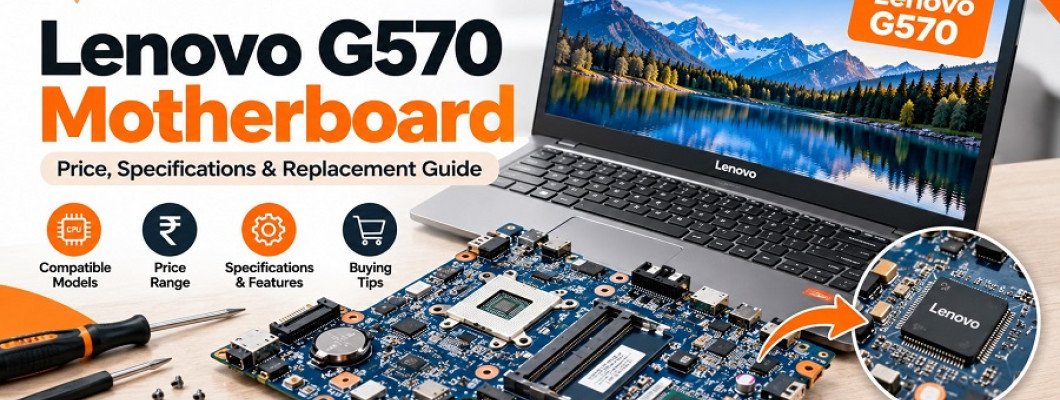
The Lenovo G570 is a laptop model designed for everyday computing tasks, including office work, internet browsing, document editing, and basic multimedia activities. Although it is an older laptop series, many users continue to maintain and use their Lenovo G570 devices for regular computing requirements.
Like other laptop components, the motherboard can develop problems over time due to hardware failure, overheating, electrical issues, liquid damage, or component ageing. When the motherboard stops functioning properly, users may experience startup problems, unexpected shutdowns, charging issues, or a completely unresponsive laptop.
If you are searching for a Lenovo G570 motherboard, understanding its compatibility, specifications, replacement options, and price factors is important before making a purchase.
In this guide, we will cover common motherboard problems, how to identify the correct Lenovo G570 motherboard, processor compatibility, replacement considerations, and tips for buying laptop motherboards online.
What Is a Lenovo G570 Motherboard?
The motherboard is the main circuit board of a laptop. It connects and allows communication between important hardware components, including the processor, RAM, storage, graphics hardware, display connections, keyboard, and other internal devices.
In the Lenovo G570, the motherboard plays an important role in managing the laptop's overall functionality.
It supports communication between different hardware components and distributes power to the relevant circuits. If the motherboard develops a major fault, the laptop may stop working even when other components are in good condition.
A compatible replacement motherboard can help restore the laptop's functionality, provided the remaining components are also working properly.
Common Signs of a Faulty Lenovo G570 Motherboard
Not every laptop problem is caused by a motherboard failure. However, certain symptoms may indicate a problem with the motherboard or its supporting circuits.
Here are some common signs to understand.
1. Lenovo G570 Laptop Not Turning On
If your Lenovo G570 does not power on after pressing the power button, the issue may be related to the motherboard, power circuit, battery, charging adapter, or DC jack.
A technician should check the power supply and internal connections before concluding that the motherboard needs replacement.
2. Laptop Turns On but No Display
Sometimes, the laptop powers on, but nothing appears on the screen.
Possible causes include:
RAM-related problems.
Display cable damage.
Graphics hardware issues.
BIOS problems.
Motherboard faults.
Connecting an external monitor and checking the RAM can help narrow down the problem.
3. Unexpected Laptop Shutdowns
If your Lenovo G570 shuts down automatically during normal usage, it may indicate overheating, power-related problems, or hardware failure.
A motherboard replacement should only be considered after checking the cooling system, power supply, battery, and other possible causes.
4. Charging Problems
If your laptop battery is not charging properly, the problem may involve the charging adapter, battery, DC jack, charging circuit, or motherboard.
A professional diagnosis can help identify the exact component responsible.
5. USB Ports and Other Connections Not Working
A faulty motherboard can sometimes cause problems with USB ports, audio connections, display output, and other integrated interfaces.
However, individual port damage may also be responsible, so proper testing is necessary.
6. Burning Smell or Visible Circuit Damage
Electrical short circuits, liquid exposure, and component failures can damage motherboard circuits.
If you notice a burning smell or visible damage, switch off the laptop, disconnect the power supply, and avoid attempting to operate it until it has been inspected.
Lenovo G570 Motherboard Specifications and Compatibility
Before buying a Lenovo G570 motherboard, it is important to understand the hardware configuration of your laptop.
Different motherboard revisions and configurations may exist within the same laptop family.
The following are some important compatibility factors.
1. Processor Compatibility
The Lenovo G570 was released in different hardware configurations. Depending on the original configuration and motherboard revision, processor support may vary.
Some configurations were offered with Intel processors, while others used AMD platforms.
Do not assume that every Lenovo G570 motherboard supports the same processor. Verify the exact motherboard part number and processor compatibility before purchasing.
2. RAM Compatibility
Memory compatibility depends on the motherboard revision and supported memory specifications.
Before ordering a replacement, check:
Supported RAM generation.
Maximum supported memory.
Memory slot configuration.
Compatible memory modules.
Using unsupported memory may prevent the laptop from starting correctly.
3. Graphics Compatibility
Some motherboard configurations use integrated graphics, while others may include different graphics hardware.
The replacement board should match the laptop's original hardware configuration as closely as possible.
4. Display and Internal Connector Compatibility
A motherboard must support the laptop's display connection and internal components.
Check compatibility with:
Display connector.
Keyboard connection.
Touchpad connection.
Cooling fan.
USB and audio ports.
Power connector.
Internal storage interface.
5. Motherboard Part Number
The original motherboard part number is one of the most useful details when identifying a replacement.
Compare the printed part number and FRU information wherever possible. The exact board revision should be confirmed before purchasing.
Lenovo G570 Motherboard Price in India: What Affects the Cost?
The price of a Lenovo G570 motherboard can vary depending on its configuration, condition, availability, and seller.
Since the Lenovo G570 is an older laptop model, replacement motherboard availability may also vary.
Here are the main factors that influence its price.
1. Motherboard Configuration
Different motherboard configurations may support different processors, graphics hardware, and internal components.
The exact configuration can affect the replacement cost.
2. Processor Included or Not Included
Some replacement motherboards may be supplied with a processor, while others may be sold without one.
If you are searching for a Lenovo motherboard price with an i5 processor, check whether the processor is actually included in the listing.
Also confirm that the processor is supported by the particular motherboard revision.
3. New, Refurbished, or Used Condition
Laptop motherboards may be available in different conditions.
New motherboard: A new replacement board, subject to actual availability.
Refurbished motherboard: A previously used board that has undergone refurbishment or testing, depending on the seller.
Used motherboard: A previously installed component sold in its existing condition.
Always check the product condition and testing details before placing an order.
4. Warranty and Testing
A motherboard supplied with clear testing information and warranty terms can provide additional confidence.
Before buying, ask the seller about testing procedures, warranty duration, return conditions, and support.
5. Availability of Replacement Parts
Older laptop models may have limited spare-part availability. The availability of a specific motherboard revision can influence its market price.
For an accurate Lenovo G570 motherboard price, compare current listings for the exact compatible board rather than relying on a general price estimate.
How to Identify the Correct Lenovo G570 Motherboard
Choosing the wrong motherboard can result in compatibility issues and unnecessary replacement expenses.
Follow these steps before purchasing.
Step 1: Confirm Your Laptop Model
Check the product label on your Lenovo G570 laptop to confirm the complete model information.
Do not rely only on the general G570 name.
Step 2: Check the Original Motherboard Number
If the original motherboard is accessible, look for the FRU number or other identification printed on the board.
This information can help identify a matching replacement.
Step 3: Identify the Processor Configuration
Check whether your laptop uses an Intel or AMD platform and identify the exact processor configuration.
The replacement motherboard must support the required processor platform.
Step 4: Compare Motherboard Layout
Compare the physical layout of the original and replacement motherboards.
Important areas include:
RAM slots.
Processor socket or soldered processor configuration.
Cooling fan connector.
Display connector.
USB ports.
Audio connections.
DC power connection.
Screw mounting positions.
Step 5: Confirm Compatibility with the Seller
Share your laptop model, original motherboard part number, and processor details with the seller.
Request confirmation that the replacement board supports your complete laptop configuration.
Can a Lenovo G570 Motherboard Be Repaired Instead of Replaced?
In some situations, motherboard repair may be possible without replacing the complete board.
The repair depends on the type and extent of damage.
For example:
A damaged charging circuit may sometimes be repaired.
Certain faulty capacitors or power components may be replaceable.
Some connection-related problems can be resolved through soldering or connector replacement.
BIOS-related problems may sometimes be corrected through appropriate servicing.
However, severe circuit damage, extensive corrosion, or major component failure may make motherboard replacement a more practical option.
A qualified laptop technician should inspect the board and compare the repair cost with the price of a compatible replacement.
Lenovo G570 Motherboard Replacement: Important Considerations
Replacing a laptop motherboard requires technical knowledge and careful handling.
Before proceeding, consider the following points.
1. Back Up Your Important Data
If your storage drive is working, back up important files before beginning hardware repairs.
2. Disconnect the Power Supply
The laptop should be completely switched off, with the charger and battery disconnected before internal repairs.
3. Use Proper Tools
Laptop motherboard replacement requires suitable screwdrivers, anti-static precautions, and careful handling of internal connectors.
4. Check the Cooling System
Inspect the cooling fan and heatsink during motherboard replacement. Clean accumulated dust and check the thermal interface as required.
5. Test All Components After Installation
After installing the replacement board, test:
Laptop power and startup.
Display output.
Keyboard and touchpad.
RAM detection.
Storage detection.
USB ports.
Audio.
Wi-Fi.
Charging functionality.
Professional installation is recommended if you are unfamiliar with laptop hardware.
Where to Buy a Lenovo G570 Motherboard Online?
Finding the right motherboard for an older laptop can sometimes be challenging because different configurations may require different replacement parts.
When purchasing online, choose a seller that provides clear product specifications, motherboard part numbers, condition details, and warranty information.
Before placing an order:
Verify the complete Lenovo G570 model.
Match the motherboard FRU or part number.
Confirm Intel or AMD processor compatibility.
Check whether the processor is included.
Review the product condition.
Confirm warranty and return terms.
You can explore laptop spare parts and computer hardware on Flipvendo.
Visit Flipvendo to explore available IT hardware and laptop replacement components. Check the current product listings or contact the seller to confirm whether a compatible Lenovo G570 motherboard is available.
Frequently Asked Questions (FAQs)
1. What is the price of a Lenovo G570 motherboard in India?
The price depends on the motherboard configuration, processor support, condition, availability, and warranty. Check current listings for the exact compatible board to get an accurate price.
2. Does every Lenovo G570 motherboard support an Intel Core i5 processor?
No. Processor support depends on the specific motherboard configuration and revision. Verify the exact board and processor compatibility before purchasing.
3. How can I identify my Lenovo G570 motherboard model?
Check the identification label, FRU number, or part number printed on the original motherboard. You can also consult a laptop technician for identification.
4. Can I upgrade the processor while replacing my Lenovo G570 motherboard?
It depends on the motherboard design and supported processor configuration. Some processors are soldered onto the board, while other configurations may use different arrangements. Check the exact hardware specifications before planning an upgrade.
5. Is a refurbished Lenovo G570 motherboard worth buying?
A refurbished motherboard may be a practical option for an older laptop if it has been properly tested and comes with clearly stated warranty and return conditions. Verify its condition and compatibility before buying.
6. Can a damaged Lenovo G570 motherboard be repaired?
Some motherboard faults can be repaired, depending on the damaged component. A technician should inspect the board before recommending repair or replacement.
7. Is motherboard replacement better than buying a new laptop?
If the laptop is otherwise working properly and the replacement cost is reasonable, motherboard replacement may be worthwhile. Compare the total repair cost with the laptop's current value before deciding.
Final Thoughts
The Lenovo G570 can continue to serve basic computing needs when its important hardware components are working properly. If the motherboard develops a fault, selecting a compatible replacement is essential for restoring the laptop's functionality.
Whether you are looking for a Lenovo G570 motherboard, a motherboard with Intel processor support, or a tested replacement board, always check the exact part number, processor compatibility, condition, and warranty before purchasing.
For laptop spare parts and computer hardware, explore Flipvendo and choose components that match your device's actual requirements.
Leave a Comment